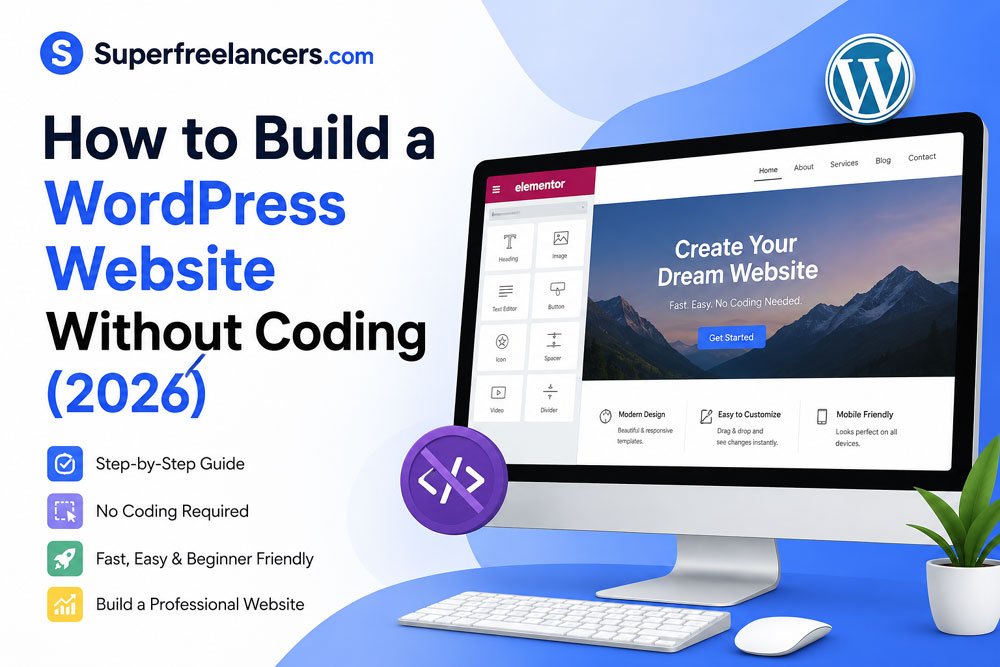
How to Build a WordPress Website Without Coding
Everything you need, from domain name to live website, explained clearly for beginners.
In this guide
You don't need to write a single line of code to build a professional WordPress website. Thousands of business owners, bloggers, and freelancers launch their sites every day, all without touching HTML or PHP.
This guide shows you exactly how to build a WordPress website without coding, from picking a hosting plan to publishing your first page. We'll walk through every step, recommend the best tools, and help you avoid the mistakes beginners make.
To build a WordPress website without coding, you need: a domain name, a web hosting plan, WordPress.org installed, a drag and drop page builder (like Elementor or Divi), and a free or premium theme. The whole process takes under an hour.
Why You Can Trust This Guide
- Written by experienced WordPress consultants who've built 200+ websites for clients
- Tested tools are used on real projects, not just theory
- We have no paid relationships with hosting companies or page builder vendors
- Recommendations updated for 2025 based on actual performance data
- Every step reflects hands on experience, not recycled blog content
Why WordPress Is the Best Choice for Non Coders
WordPress powers 43% of all websites on the internet. That number isn't a coincidence. It's because WordPress combines simplicity with incredible flexibility.
If you're comparing WordPress.com vs WordPress.org, go with WordPress.org. It's the self hosted version that gives you full control of your website, design, and monetization.
Key Advantages for Beginners
- No coding required drag and drop builders handle all the design work
- 60,000+ free plugins add contact forms, SEO tools, or eCommerce without developers
- Thousands of free themes launch with a professional design instantly
- Large support community answers to almost every question are a search away
- Scales with your business start small, grow without rebuilding from scratch

What You Need Before You Start
Before you open a browser tab, gather these essentials. You can have everything set up in under 15 minutes.
The Non Coder's Starter Checklist
- A domain name your website address (e.g., yourbusiness.com)
- Web hosting the server that stores your site files
- WordPress.org the free website software you'll install
- A page builder plugin lets you design pages by dragging and dropping
- A WordPress theme controls your site's overall visual style
- Basic site content logo, photos, text for your About and Home pages
Many hosting providers like Bluehost, SiteGround, and Hostinger offer one click WordPress installation that sets everything up automatically. No manual file uploads needed.
Step by Step: How to Build a WordPress Website Without Coding
Follow these steps in order. Each one builds on the last, so don't skip ahead.
-
1Choose a Domain Name
Your domain name is your online identity. Keep it short, memorable, and relevant to your niche. Use a
.comextension if possible. It builds more trust with visitors in the US.Tools like Namecheap, Google Domains, or your hosting provider's domain search make it easy to check availability and register instantly.
- Avoid numbers, hyphens, or hard to spell words
- Keep it under 15 characters when possible
- Match your business or brand name exactly if available
-
2Pick a WordPress Hosting Plan
Hosting is where your website lives. For beginners building a WordPress website without coding, shared hosting is the most affordable and practical starting point.
The best beginner friendly hosts for WordPress in 2025:
- Bluehost officially recommended by WordPress.org, starts around $2.95 per month
- SiteGround fast servers and excellent 24/7 support, starts around $3.99 per month
- Hostinger best budget pick, starts around $1.99 per month with strong uptime
- WP Engine best managed WordPress hosting for growing sites, around $25 per month
-
3Install WordPress With One Click
Every major hosting provider includes a one click WordPress installer in their control panel (usually cPanel or a custom dashboard). Look for "WordPress" or "Softaculous" in your hosting account and click Install.
Fill in your site name, admin username, and password. WordPress will be ready in under 2 minutes.
-
4Choose and Install a WordPress Theme
A theme controls your website's design framework, including fonts, colors, and layouts. From your WordPress dashboard, go to Appearance, then Themes, then Add New.
Top free themes for beginners:
- Astra ultra lightweight, pairs perfectly with page builders
- OceanWP versatile and SEO friendly out of the box
- Kadence excellent typography and design flexibility
- Hello Elementor bare bones theme designed for Elementor users
-
5Install a Drag and Drop Page Builder
This is what makes building a WordPress website without coding truly possible. Page builders replace the default editor with a visual canvas where you drag, drop, and customize everything.
Go to Plugins, then Add New and search for your chosen page builder. Install and activate it, then open any page to start designing.
-
6Customize Your Pages
Use your page builder's pre built templates to create your Home, About, Services, and Contact pages. Just replace the dummy text and images with your own content.
Focus on these pages first:
- Homepage your first impression; include a clear headline and call to action
- About page who you are and why visitors should trust you
- Contact page email form, phone number, and location if relevant
-
7Add Essential Plugins
Plugins extend your WordPress site's functionality. You need just a handful to start. Don't install everything you see. More plugins can slow your site down.
See the full plugin list in the section below.
-
8Configure Basic SEO Settings
Before you launch, set up your SEO foundation. Install Yoast SEO or Rank Math, add your page titles and meta descriptions, and connect your site to Google Search Console.
Also go to Settings then Reading and make sure "discourage search engines" is unchecked.
-
9Preview and Publish
Use the WordPress Customizer (Appearance then Customize) to preview your site at different screen sizes. Check how it looks on mobile, since more than 60% of web traffic comes from smartphones.
When you're happy, hit Publish on each page and your WordPress website goes live.

Best WordPress Page Builders for Non Coders (2025)
Choosing the right page builder is the single most important decision you'll make when building a WordPress website without coding. Here are the top options.
Elementor Best Overall
Elementor is the most popular WordPress page builder in the world and for good reason. The free version handles most beginner needs. The Pro plan ($59/year) adds popups, dynamic content, and 90+ advanced widgets.
Pros
- Intuitive live drag and drop editor
- 300+ free and premium templates
- Mobile editing and responsive controls
- Massive community and tutorials
Cons
- Free version lacks some advanced features
- Can slow down your site if overloaded
- Pro plan required for full template kit access
Divi Builder Best for Beginners
Divi by Elegant Themes is beloved for its visual builder and massive library of pre made layouts. The $89/year plan gives unlimited access to all Elegant Themes products, which is excellent value.
Beaver Builder Budget Friendly
Beaver Builder has been around since 2014 and is known for being stable, fast, and developer friendly. The free version (Beaver Builder Lite) is available on the plugin repository and works well for simple sites.
Page Builder Comparison Table
| Builder | Free Plan | Starting Price | Templates | Ease of Use | Best For |
|---|---|---|---|---|---|
| Elementor | Yes | $59/yr (Pro) | 300+ | Most users | |
| Divi | No | $89/yr | 800+ | Beginners, designers | |
| Beaver Builder | Lite | $99/yr | 50+ | Stability focused users | |
| Bricks Builder | No | $79 (lifetime) | 200+ | Performance focused users | |
| Gutenberg (built in) | Free | $0 | Limited | Bloggers, minimal sites |
Must Have WordPress Plugins for Beginners
Plugins are apps for your WordPress site. You don't need dozens, just the right ones. Here are the essentials for a no code WordPress build.
SEO and Performance
- Yoast SEO or Rank Math optimize meta titles, descriptions, sitemaps
- WP Rocket caching and speed optimization (paid, around $59/yr)
- Smush automatic image compression to improve load speed
Security and Backup
- Wordfence Security firewall, malware scanner, login protection
- UpdraftPlus schedule automatic backups to Google Drive or Dropbox
Forms and User Experience
- WPForms Lite create contact forms with drag and drop in minutes
- MonsterInsights connect Google Analytics without touching any code
eCommerce (if needed)
- WooCommerce the number one free eCommerce plugin for WordPress; sells physical and digital products
Every plugin you add increases your site's load time and attack surface. Stick to 10 plugins maximum when starting out. Quality over quantity.

Common Mistakes When Building a WordPress Site Without Coding
Beginners often make the same errors. Knowing them in advance saves you hours of frustration.
- Choosing cheap hosting Budget hosting under $1 per month usually means slow speeds, poor support, and downtime. Pay for reliability from day one.
- Installing too many plugins Plugin bloat is the number one cause of slow WordPress sites. Every plugin should earn its place.
- Skipping backups WordPress sites get hacked, servers fail, and accidental deletions happen. Set up UpdraftPlus before anything else.
- Using a heavy theme Some premium themes try to do everything and end up doing nothing well. Use a lightweight theme like Astra instead.
- Ignoring mobile design Always preview your site on mobile and tablet. Use your page builder's responsive controls to fix any layout issues.
- Forgetting SSL Your hosting provider offers a free SSL certificate (HTTPS). Activate it immediately. Google penalizes non HTTPS sites.
Quick Start Summary
- Register a domain name (.com preferred)
- Sign up for managed WordPress hosting (Bluehost, SiteGround, or Hostinger)
- Install WordPress with one click from your hosting dashboard
- Install a lightweight theme (Astra is our top pick)
- Install Elementor (free) for drag and drop design
- Choose a template, replace content with yours
- Add 5 to 7 essential plugins (Yoast, WPForms, UpdraftPlus, Wordfence)
- Configure SEO basics and connect Google Search Console
- Preview on mobile, then publish
Frequently Asked Questions
Final Verdict: Build Your WordPress Site Today
Building a WordPress website without coding is not just possible. It's straightforward when you follow the right steps. The combination of reliable hosting, a lightweight theme, and a visual page builder removes every technical barrier.
Our recommended setup for beginners in 2025:
- Hosting: SiteGround or Bluehost (most beginner friendly)
- Theme: Astra (free, fast, flexible)
- Page Builder: Elementor (most widely supported, best tutorials)
- SEO Plugin: Rank Math (free and powerful)
- Forms: WPForms Lite
Don't wait for "the perfect moment." Your first WordPress site doesn't have to be perfect. It just has to be live. You can refine it later. Start today, and your site can be published before the end of the day.
Expert Tip from Our WordPress Consultant
The single biggest mistake new WordPress site owners make is spending two weeks trying to perfect the design before publishing. Publish early, even if it's imperfect. A live site with real visitors gives you feedback that no amount of private tinkering can match. You can iterate forever, but you can only launch once. Just ship it.